Passpo-chanPhone photo to ID photo
No retake needed: AI Photo Rebuild

Your phone photo,
ID photo!

An everyday phone photo is fine. AI adjusts face position, background, clothing and lighting to create an application-ready shot.

From ¥300 per photo · pay to create & download
Phone photos OKAI check includedOnline-application readyPrint-layout ready

This is not an official government service. Final acceptance of the photo is at the discretion of the receiving authority.

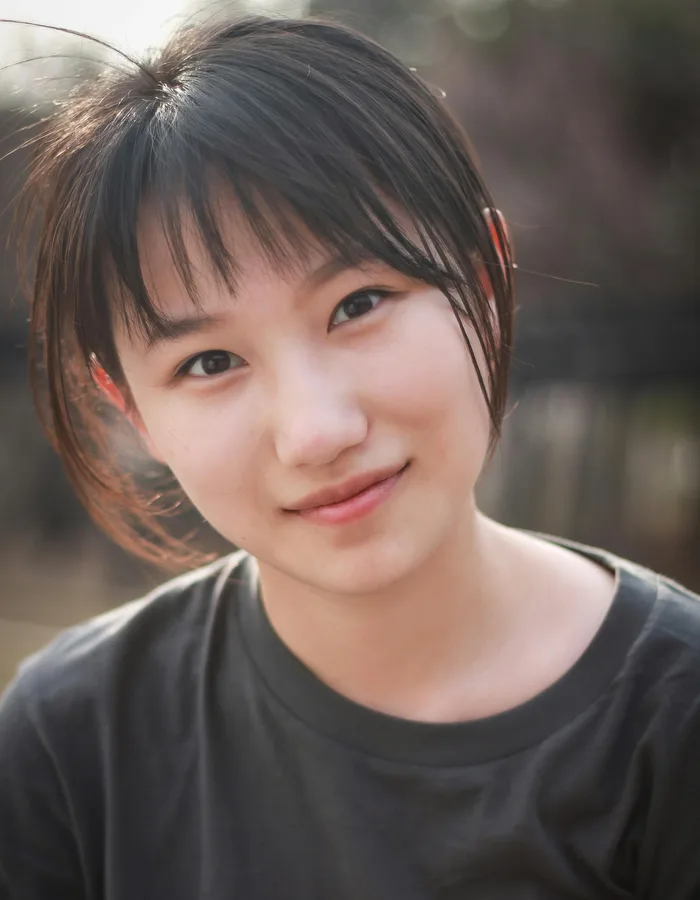
BEFORE
Before example (everyday photo)
After example (ID photo)35 × 45 mm
EXAMPLE
1UploadYour phone photo as-is
2AI creates itAdjusts for an ID photo
3DownloadApplication & print data
Two ways to create

Choose based on the photo you have

Whether you already have a photo close to the requirements or only an everyday phone photo, just pick by your starting photo.

Photo size

Path 1

Photo Formatter

Photo with a busy backgroundBEFORE
Clean ID photoAFTER

Adjust a photo that's already close to the mark

Resizes a well-lit, front-facing photo to the application size. Checks face position, background, brightness, file format and size.

  • Best for photos that are
  • Facing forward
  • On a simple background
  • Bright and not blurry
  • Fine on clothing and posture
POPULAR
Path 2AI Rebuild

AI Photo Rebuild

Everyday phone photoBEFORE
Rebuilt as ID photoAFTER

Create an ID-style photo from an everyday shot

From one or a few front-facing photos, even ones with a busy background, AI adjusts composition, posture, clothing, background and lighting to create an ID-style photo.

  • Best for photos that are
  • Everyday phone photos
  • On a non-plain background
  • In clothing you'd like adjusted
  • When retaking is a hassle

Review standards differ by receiving authority. We recommend using this within a scope that does not affect identity verification.

Use it with confidence

AI gently checks your photo

It auto-checks items commonly reviewed for ID photos, shown as guidance to help you adjust, not as errors that block you.

AI check results7 items cleared
Face position
Face size
Background
Brightness
Shadows
Expression
Glasses glare
File format
AI check results are supplementary. Final acceptance is at the receiving authority's discretion.
No perfect photo neededRebuild an everyday photo into an ID-style shot.
Photos handled securelyYou can delete data you don't need at any time.
Export to match your useOnline application, printing or saving data.
Online JPGOverseas dataPrint layoutSave to phone
FAQ

Answers before you ask

Q

Can I use this service for Japan's online passport application?

Compliant mode creates an image that meets the photo specifications required for Japan's online passport application (via Mynaportal). However, final acceptance is at the discretion of the receiving authority.
Q

What's the difference between Compliant mode and Advanced AI mode?

Compliant mode uses your photo as-is and formats it to spec (no generative AI). Advanced AI mode rebuilds an ID-style image from 1 to 3 front-facing photos of the same person, fusing them and cleaning up a slight tilt, expression, background, and clothing. Clear front-facing photos give the best result.
Q

What happens if the compliance check fails?

If Compliant mode fails the check, you can try again with another photo or request a refund.
Q

Can I print at a konbini?

Yes. You can print at the multi-copy machines at 7-Eleven, FamilyMart, and Lawson. See the konbini print guide for details.
Q

Is my photo privacy protected?

Uploaded photos are used only for processing, and generated photos are auto-deleted after 7 days.
Q

Can I wear glasses?

Glasses are allowed, but only if the lenses have no reflection and the frames don't cover your eyes. Sunglasses are not accepted.

Start with the photo you already have

You don't need a perfect ID photo. From your phone photo, create an application-ready shot.

Upload a photo